

I spent thirty years as a carpenter. Jobsites were loud and dusty, but the one thing I never tolerated was a cord running across the floor where somebody could trip on it. You learn fast that messy wiring causes accidents. When I retired and built my home office in the spare bedroom, I figured that discipline would carry over. It did not. Within six months of setting up my desk, I had seven cords going in seven different directions, a dumb power strip wedged sideways behind the monitor stand, and a surge protector that had been unplugged and replugged so many times the outlet was starting to feel loose. Lexi, my border collie, knocked the whole thing off the shelf twice.
The embarrassing part is that I knew better. I had built custom cabinetry with hidden wiring runs. I had routed cable through finished walls without leaving a single mark. But my own desk looked like the back of a television from 1987. There was a monitor cable taped to the leg with blue painter's tape. There was a phone charger that lived in a permanent knot because I was too lazy to unwind it after the holidays. There were two extension cords because the original power strip didn't reach the outlet behind the bookcase, so I added a second one to bridge the gap. It was not my finest work.
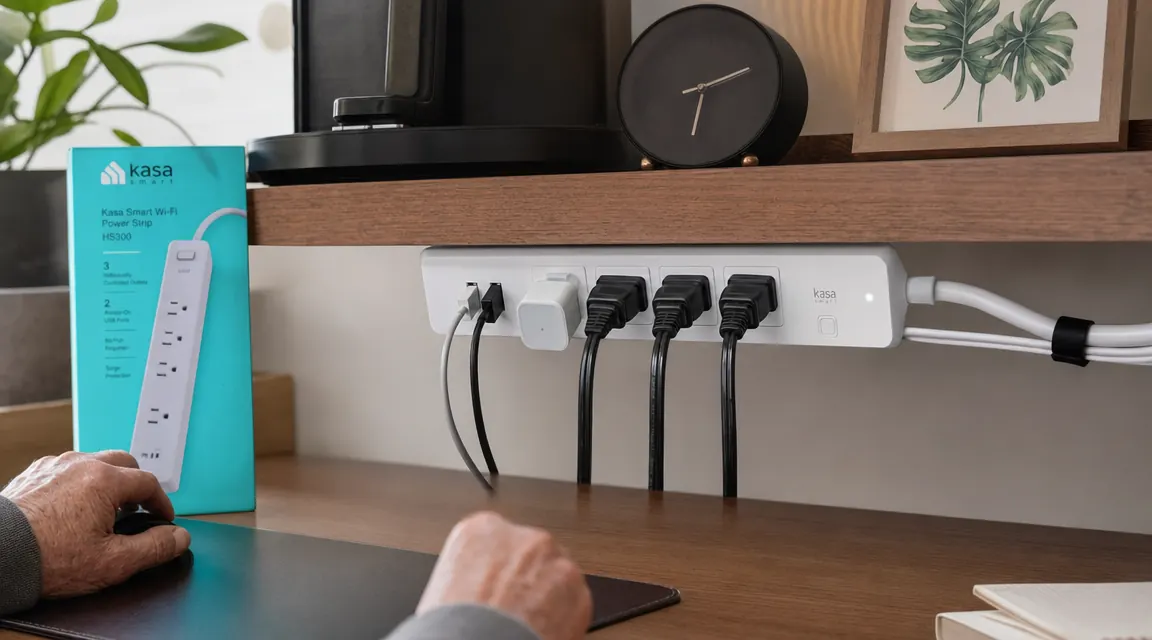
A friend of mine who does freelance video editing came by the house one afternoon and looked at the desk the way I look at a poorly hung door. He didn't say much. He just pulled out his phone, opened the Kasa app, and turned off his monitor from across the room. Then he told me to look up the Kasa HS300. He said it wasn't magic, but it would force me to think about what was plugged in where, and once I did that, I'd want to clean the rest up. He was right.
The HS300 is a power strip with six individually controlled outlets and three USB ports. Each outlet runs through an app independently, so you can schedule the monitor to turn off at ten at night whether you remember to or not. You can check how much power each device is drawing. You can set the lamp on a sunrise schedule so it warms up before you sit down. I ordered it the same evening. The current price on Amazon is easy to check before you buy, and I thought it was fair for what you get.
When it arrived, I did something I should have done at the start. Before I plugged anything in, I pulled everything off the desk and figured out what actually needed power versus what had just accumulated over time. One of those seven cords was a charger for a tablet I no longer own. Another went to a fan I'd moved to the living room. Out of seven cords, five were legitimate and two were just clutter I hadn't touched in months. That alone was useful, and the HS300 hadn't done anything yet.
Out of seven cords, five were legitimate and two were just clutter I hadn't touched in months. That alone was useful, and the strip hadn't done anything yet.
If your desk looks the way mine did, the HS300 is a good place to start the conversation.
Six individually controlled outlets, three USB ports, Alexa and Google Home compatible, no hub required. Works with the Kasa app for scheduling, energy tracking, and per-outlet on/off.
Amazon Check Today's Price on Amazon →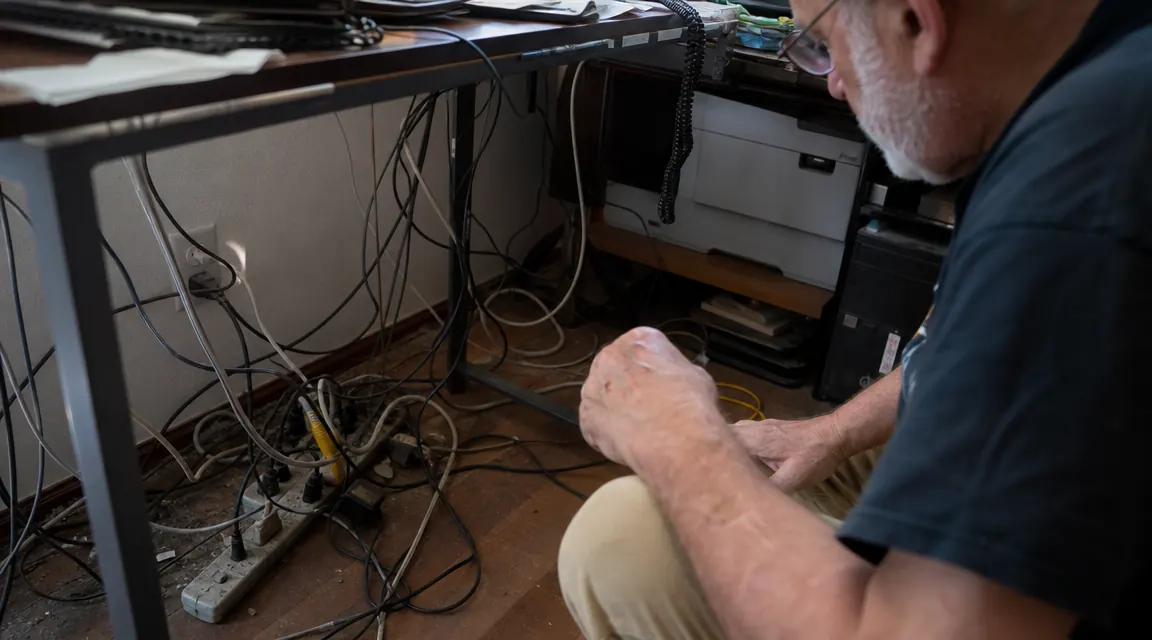
I mounted the HS300 under the rear lip of the desk shelf using the included screw slots. That got it off the floor, off the shelf surface, and out of sight. The six outlets face forward so I can reach them without bending over. I labeled each one in the app: monitor, desk lamp, laptop charger, USB hub, speaker, spare. That spare outlet has stayed empty for three months because I finally know what is plugged in and why.
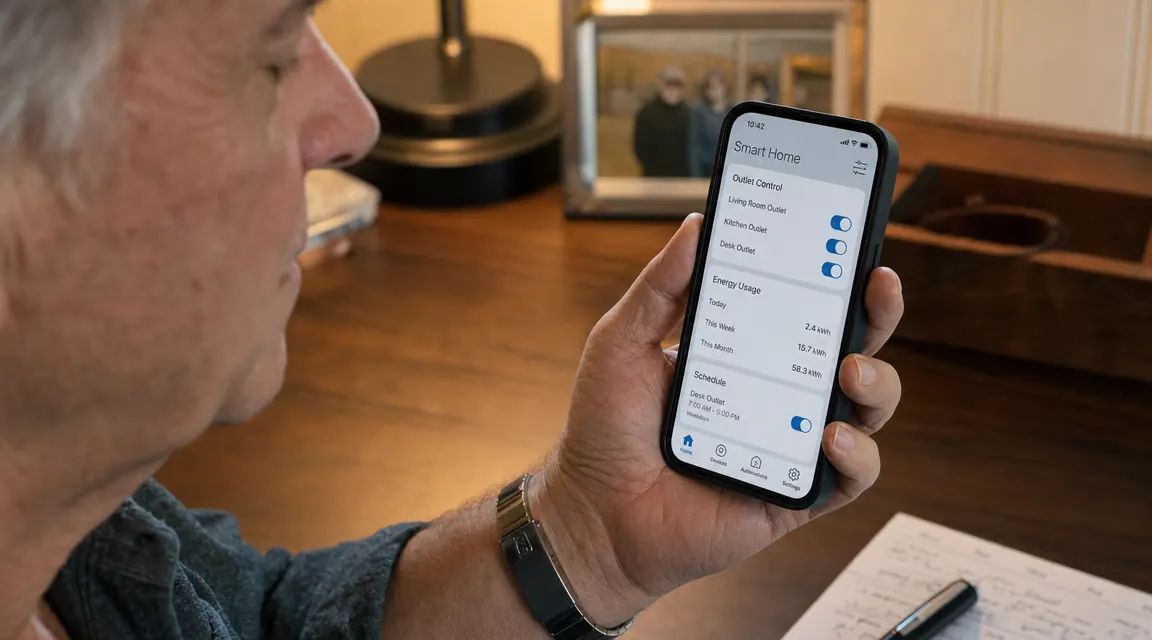
The energy monitoring was the piece I didn't expect to find useful. It turns out my old monitor was drawing power on standby all night, every night. I set a schedule to cut it at ten and restore it at seven. Over a month that's a small thing, but it's the kind of small thing a person who spent his career building custom furniture starts to appreciate. You work clean, you waste less.
The Alexa integration works, though I don't use voice commands much. I'm not one for talking to the house. The app is straightforward enough that my sister figured it out in about four minutes on a Sunday visit, and she has no patience for complicated software. Setup took maybe fifteen minutes total, including downloading the app and naming everything.
The one honest caveat is outlet spacing. If you're running anything with a bulky wall-wart adapter, you'll lose an adjacent outlet. I had two adapters that needed to occupy three slots between them. That's a real tradeoff. It didn't break the deal for me, but it's worth knowing before you plan your layout. If all six of your devices use standard plugs, you won't have any issue. If two or three of them have those wide transformer blocks, plan accordingly.
Three months later the desk is still tidy. That's the part I underestimated. Once you have a system that's actually designed rather than assembled by accident, you keep it up. The cable runs are clean, the labels in the app still match what's plugged in, and Lexi has nothing left to knock over.
What I'd Tell You If We Were Sitting at My Kitchen Table
If you're dealing with a rat's nest of cords under your desk, I wouldn't start by buying more cable management accessories. I'd start by auditing what's actually plugged in. Pull it all out, lay it flat, and ask yourself what's actually earning its outlet. You'll probably find one or two things that don't need to be there at all. Once you know what you're keeping, then get the smart strip and mount it somewhere intentional. The HS300 is a solid choice: the app is reliable, the hardware feels built properly, the scheduling works, and the energy monitoring is genuinely informative rather than just a marketing feature. It's not a luxury item for people who like gadgets. It's a utility item for people who want a desk that doesn't look like it was wired by someone in a hurry. If that's what you're after, it'll do the job.
A cleaner desk starts with knowing where the power actually goes.
The Kasa HS300 has 6 individually controlled outlets, 3 USB ports, per-outlet energy monitoring, and works with Alexa and Google Home. No hub required.
Amazon Check Today's Price on Amazon →