

I spent thirty years as a carpenter, and I thought I understood what a bad back felt like. Turns out I did not fully understand it until I started sitting for six to eight hours a day at a home office desk. The first chair I used was a dining chair I dragged in from the kitchen. By two in the afternoon I was bracing my hands on the edge of the desk just to stand up. I finally bought a proper ergonomic chair, the GABRYLLY high-back mesh, and it helped. But it only helped about halfway until I actually learned how to adjust it. The other half of the problem was me leaving every lever and dial at the factory setting.
Ergonomic chairs are not magic. They are tools with moving parts, and a tool that is set up wrong does not fix anything. The GABRYLLY has six adjustable points: seat height, seat depth, lumbar support position, armrest height, armrest angle, and tilt tension with a lock. Most people touch one of those. This guide walks through all six, in the right order, so you can dial in genuine support instead of just owning an expensive chair that still hurts your lower back.
Your back hurts because the factory settings were built for nobody in particular.
The GABRYLLY ergonomic chair has six adjustable points. Spend ten minutes setting them up correctly and the chair does what it was designed to do. Check today's price on Amazon and see the current rating from over 14,000 buyers.
Amazon Check Today's Price on Amazon →Step 1: Set the Seat Height So Your Feet Are Flat and Your Knees Are at 90 Degrees
Sit down in the chair before you touch anything else. Pull it up to your desk and notice where your hands naturally fall. If your shoulders are shrugged up to reach the keyboard, the seat is too low. If your elbows are pointing down and your forearms are rising toward the keys, the seat is too high. You want a neutral position: shoulders relaxed, upper arms hanging close to your sides, forearms roughly parallel to the floor.
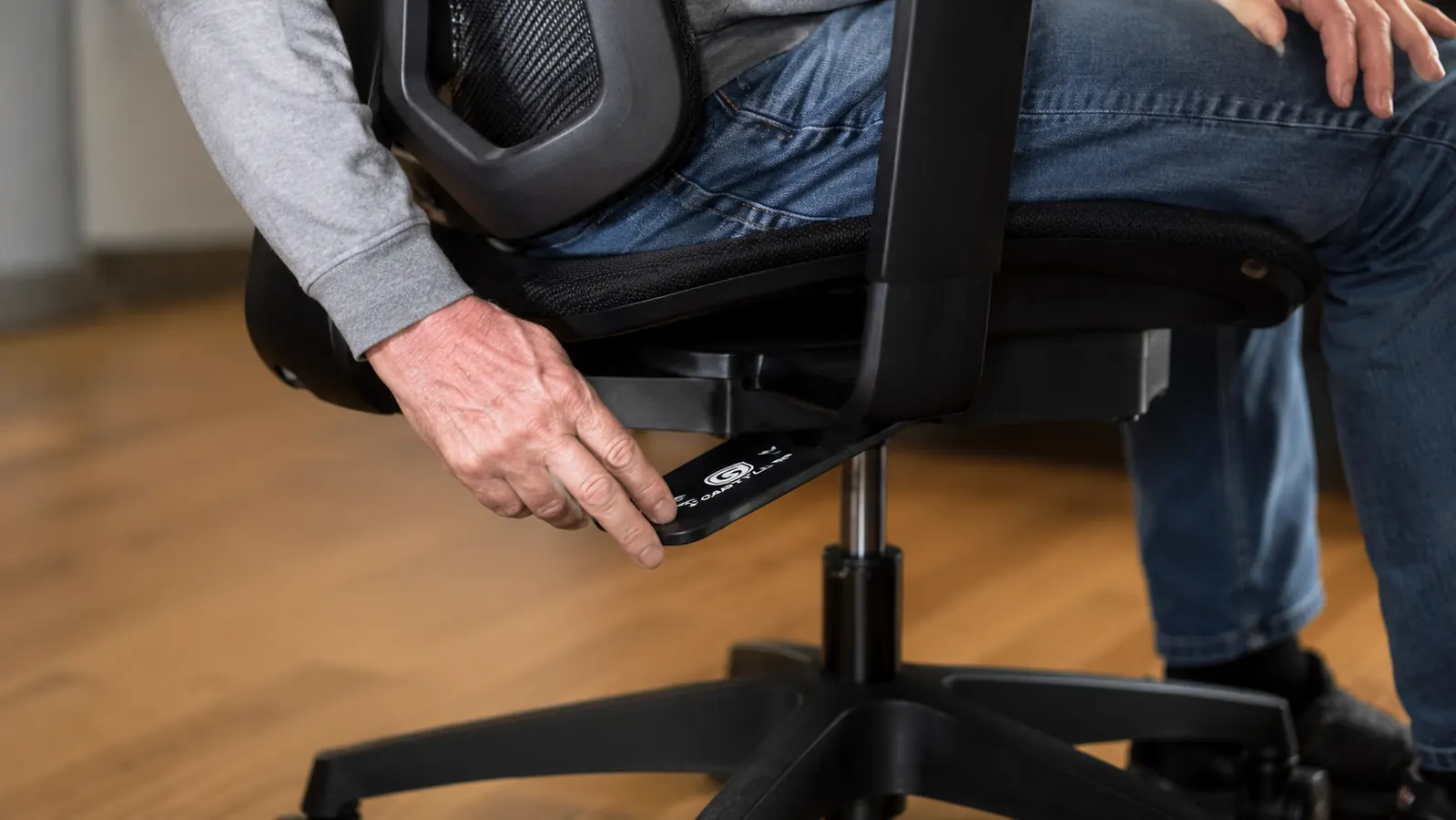
For the seat height itself, both feet should rest flat on the floor with your knees bent at roughly 90 degrees, maybe a touch more open. If your feet dangle, you are sitting too high and your thighs are getting compressed from below. If your knees are higher than your hips, you are too low and you will slump into a C-curve by mid-morning. On the GABRYLLY, the height lever is a large paddle on the right side under the seat. Pull it up to raise the seat, do not pull it up while sitting if you are near the top of the range, because the gas cylinder will shoot up fast. Instead, stand up slightly, pull the lever, and lower yourself down slowly until you hit the right height.
A practical checkpoint: sit up straight, close your eyes, and let your feet settle naturally. Open your eyes and look down. If your feet landed flat, you are in the right range. If you reached for the floor or your toes are the only thing touching, adjust and repeat. This sounds simple, but most people skip it and spend months wondering why they are tired by noon.
Step 2: Adjust the Seat Depth So Your Lower Back Touches the Backrest
Seat depth is the distance from the back of the seat to the front edge. If the seat is too deep, you have to scoot forward to keep your feet flat, which pulls you away from the lumbar support. At that point you might as well be sitting on a bench. If the seat is too shallow, the front edge digs into the back of your thighs and cuts off circulation.
The right depth leaves roughly two to three finger-widths of clearance between the front edge of the seat and the back of your knees. Sit all the way back in the chair first, so your lower back is in contact with the lumbar pad. Then check the gap at your knees. The GABRYLLY seat slides forward and back by pulling a lever or knob below the seat pan, depending on the version. On most units it is a pull-lever on the front left underside. Pull it, shift the seat pan to the position that gives you that two-to-three finger gap, and release.
Once the seat depth is right, you should be able to sit fully back in the chair with your lumbar supported and your feet flat at the same time. If those two things are in conflict, revisit seat height before moving on. They work together.
Step 3: Position the Lumbar Support at the Natural Inward Curve of Your Lower Spine
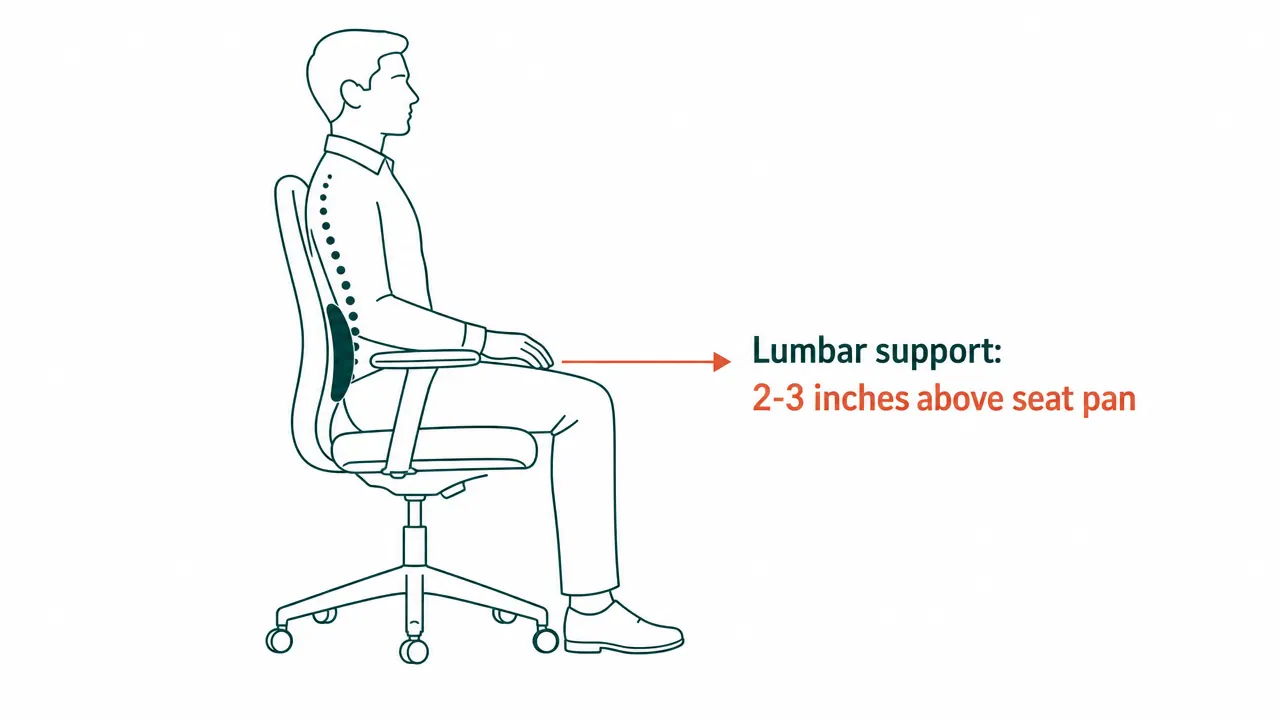
This is the adjustment most people skip entirely, and it is the one that matters most for lower back pain. Lumbar support only works if it is touching the right part of your back. Too high, and it pushes on the middle of your spine, which forces you to lean forward. Too low, and it is under your tailbone, which does nothing useful.
Put your hand behind your lower back while sitting upright. You will feel the natural inward curve, the hollow space between your spine and where a flat surface would be. That hollow is where the lumbar pad belongs. On the GABRYLLY, the lumbar support moves up and down on the backrest frame by loosening a pair of knobs on the back of the chair, sliding the support to the right position, and retightening. The sweet spot for most people is two to three inches above the seat pan surface, but that varies by height. If you are over six feet tall it will be higher; if you are shorter it may be lower. Adjust until the pad fills that hollow without pushing you forward.
You will know you have it right when you can relax your core muscles and the chair holds the curve for you. That is the point of lumbar support. It should feel like the chair is doing the work you were exhausting your back muscles to do all day.
Lumbar support only works if it lands on the inward curve of your lower spine. Most chairs ship with it two inches too high. Slide it down until the pad fills the hollow, relax your core, and let the chair hold the curve.
Step 4: Set the Armrest Height and Angle So Your Shoulders Drop
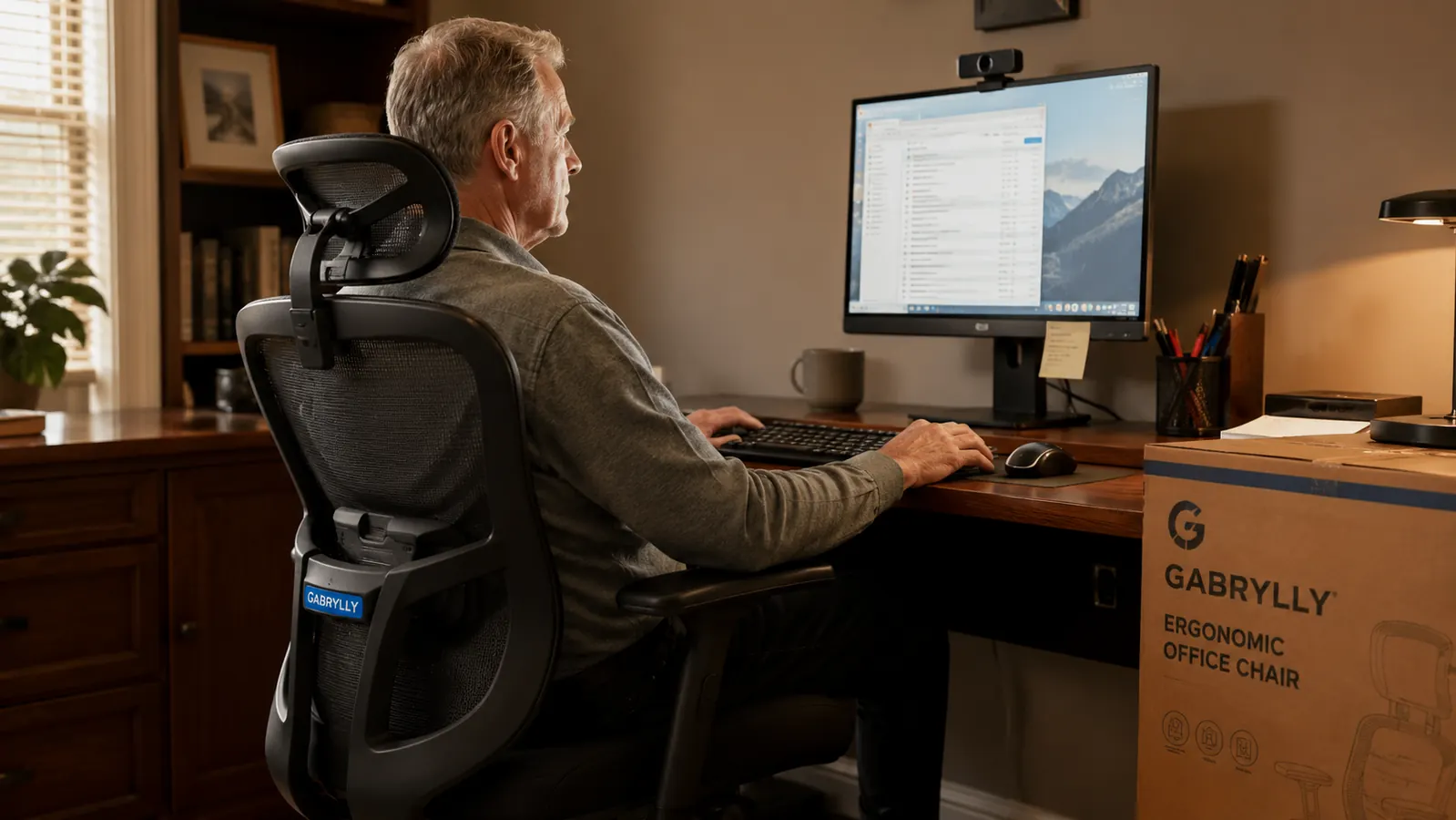
Arms resting on hard armrests that are the wrong height are one of the most common causes of neck and shoulder tension at a desk. If the armrests are too low, your shoulders round forward and drop to reach them. If they are too high, your shoulders shrug up toward your ears, and your trapezius muscles work all day to hold that position. By three in the afternoon you feel it in your neck.
The GABRYLLY has flip-up armrests that also adjust in height via a button on the underside of each arm pad. Press the button and slide the arm up or down until the pad sits just below your elbow when your arm hangs naturally at your side. The goal is that your forearms can rest on the pads with your shoulders completely relaxed and your elbows bent at roughly 90 degrees. You should not be reaching down to them or shrugging up to meet them.
The flip-up feature is genuinely useful here. When you are typing for a long stretch, flip the arms up out of the way so they do not crowd the desk edge. When you are reading or on a call, flip them back down and let your arms rest. A lot of people buy this chair and leave the arms folded up permanently because they never got the height right in the first place. Dial in the height once and you will use them.
Step 5: Set the Tilt Tension and Lock the Recline at the Right Angle for Your Work
The GABRYLLY tilts between 90 and 120 degrees, with a lock that holds the backrest at any position in that range. The tension knob controls how much resistance you feel when you lean back. A lot of resistance means the chair barely moves when you shift your weight. Low resistance means it reclines freely. Neither extreme is right for everyone, but most desk workers want the chair to feel slightly firm so it holds them upright during focused work and gives a little when they lean back to think.
To set the tension, find the round knob below the seat on the right side, separate from the height lever. Turn it clockwise to stiffen, counterclockwise to loosen. Start loose, sit back, and add resistance until leaning back takes a small, deliberate push. That is a good working tension. Once you have it set, decide where to lock the recline. For focused screen work, lock it at 90 to 95 degrees so the chair holds you upright. For calls, reading, or thinking time, release the lock and let yourself lean back five to ten degrees. The lock lever is typically behind the right side of the seat on the GABRYLLY.
One thing I got wrong when I first set up this chair: I locked the tilt all the way back at 115 degrees thinking I would be comfortable. I spent two days wondering why my neck hurt looking at the screen. The monitor stays in one place. If the chair tips you back, your neck tips forward to compensate. Lock the recline at an angle where the screen is directly in your line of sight without tilting your head at all.
What Else Helps
A well-adjusted chair solves the support side of the equation, but posture also depends on desk height, monitor position, and keyboard placement. If your desk is too high for your adjusted seat height, you will shrug your shoulders to type no matter how good the armrests are set. If your monitor is too low, you will hunch your neck forward even with perfect lumbar support. The chair is the foundation. Paired with a monitor at eye level and a keyboard that lets your wrists stay neutral, it eliminates most of the common desk aches. Start with the chair, then work outward. Once the chair is dialed in correctly, the other adjustments tend to become obvious because you can feel exactly what is still off. If you want more detail on what a good ergonomic chair does for your back beyond just posture, the piece on eight ways a proper ergonomic chair fixes back pain covers the mechanics in plain terms. And if you are deciding whether the GABRYLLY is the right chair before you buy, the full long-term review covers ninety days of real daily use.
Ten minutes of setup work beats six months of afternoon back pain.
The GABRYLLY ergonomic chair gives you six adjustable points, a 90-120 degree tilt lock, and a wide seat built for longer frames. Rated 4.4 stars from over 14,000 buyers. Check today's price and availability on Amazon.
Amazon Check Today's Price on Amazon →