
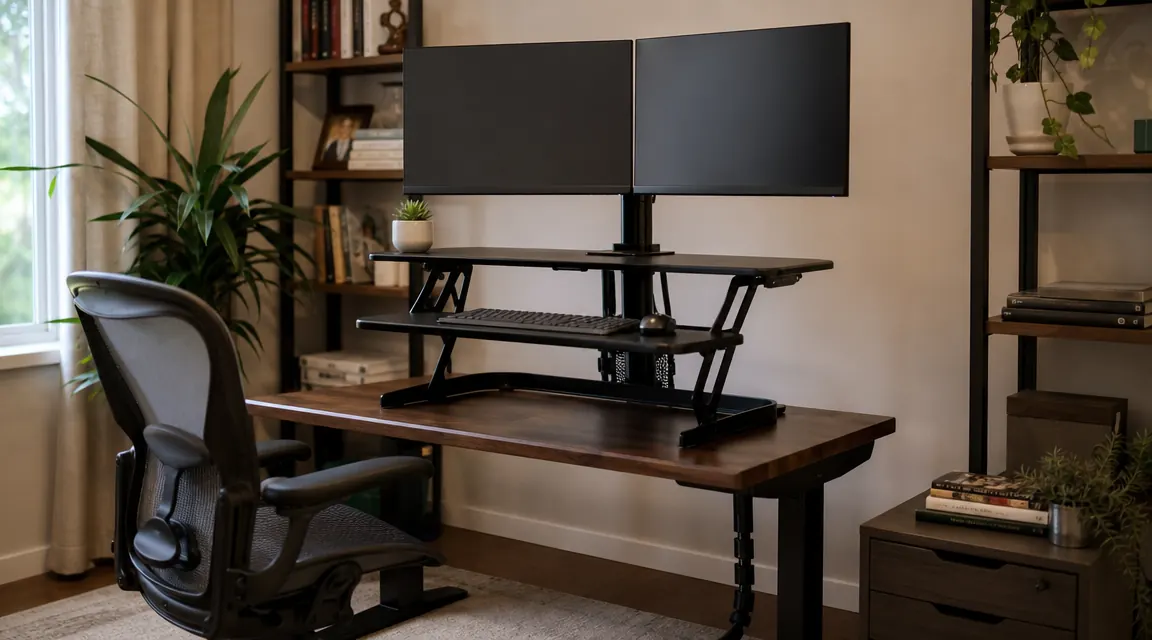
Here is the thing about the VIVO 42-inch V Series desk converter: I almost returned it in the first week. Not because it is a bad product -- it is not. But because nobody in any review I read before buying warned me about the three or four things that made the first few days genuinely aggravating. I am Dan, retired carpenter, and I have been using this converter -- ASIN B07H9DM38X, listed in the mid-to-upper range -- as my daily driver for long enough now to tell you what the Amazon listing glosses over. This review is that conversation.
Most reviews of this converter lead with the positives. I want to start somewhere else: with what surprised me, what I wish I had known on day one, and where this thing genuinely earns its price versus where it asks you to compromise. If you have already read the long-term experience writeup on this site, this review covers different ground on purpose. Different angle, different details.
The Quick Verdict
Solid steel construction, genuinely useful ergonomics, and a spring mechanism that holds up over time -- but the footprint will surprise you, the keyboard latch takes adjusting, and the wobble at maximum height is real. Know the tradeoffs before you buy.
Amazon Check Today's Price →Still sitting seven hours straight? The converter costs less than one bad back flare-up at the chiropractor.
The VIVO V Series sets up in fifteen minutes on any flat desk and goes from sit to stand in about three seconds. More than 10,000 Amazon ratings say it does what it claims.
Amazon Check Today's Price on Amazon →What the Listing Does Not Tell You About Footprint
The product dimensions are right there on the Amazon page: 42 inches wide, 23.6 inches deep. What that does not communicate is how much of your working desk surface disappears when you put this thing down. I set it on my 60-inch desk and immediately realized the converter occupies essentially the entire center zone. Front to back, the base platform runs almost 24 inches, which on a standard 30-inch-deep desk leaves you about six inches of clear surface in front of the converter. That is enough for a coffee mug and a notepad. It is not enough for an open binder or any kind of side reference material.
If you are running a dual-monitor setup and you work with physical reference material -- printed pages, a notebook, a calendar -- think this through before you buy. A 42-inch converter on a 60-inch desk effectively turns your desk into a converter with a desk underneath it. That is not a complaint about VIVO specifically; it is the nature of the format. But I did not think it through carefully and I spent the first week annoyed that I had nowhere to put anything.
The fix, for me, was moving my printer off the desk entirely and accepting that anything I need close at hand goes to the right of the converter frame on a small side surface. Once I adjusted to that layout, it stopped being an issue. But it is an adjustment, and the reviews I read before buying did not mention it once.
The Keyboard Tray Latch: Small Detail, Big Frustration Early On
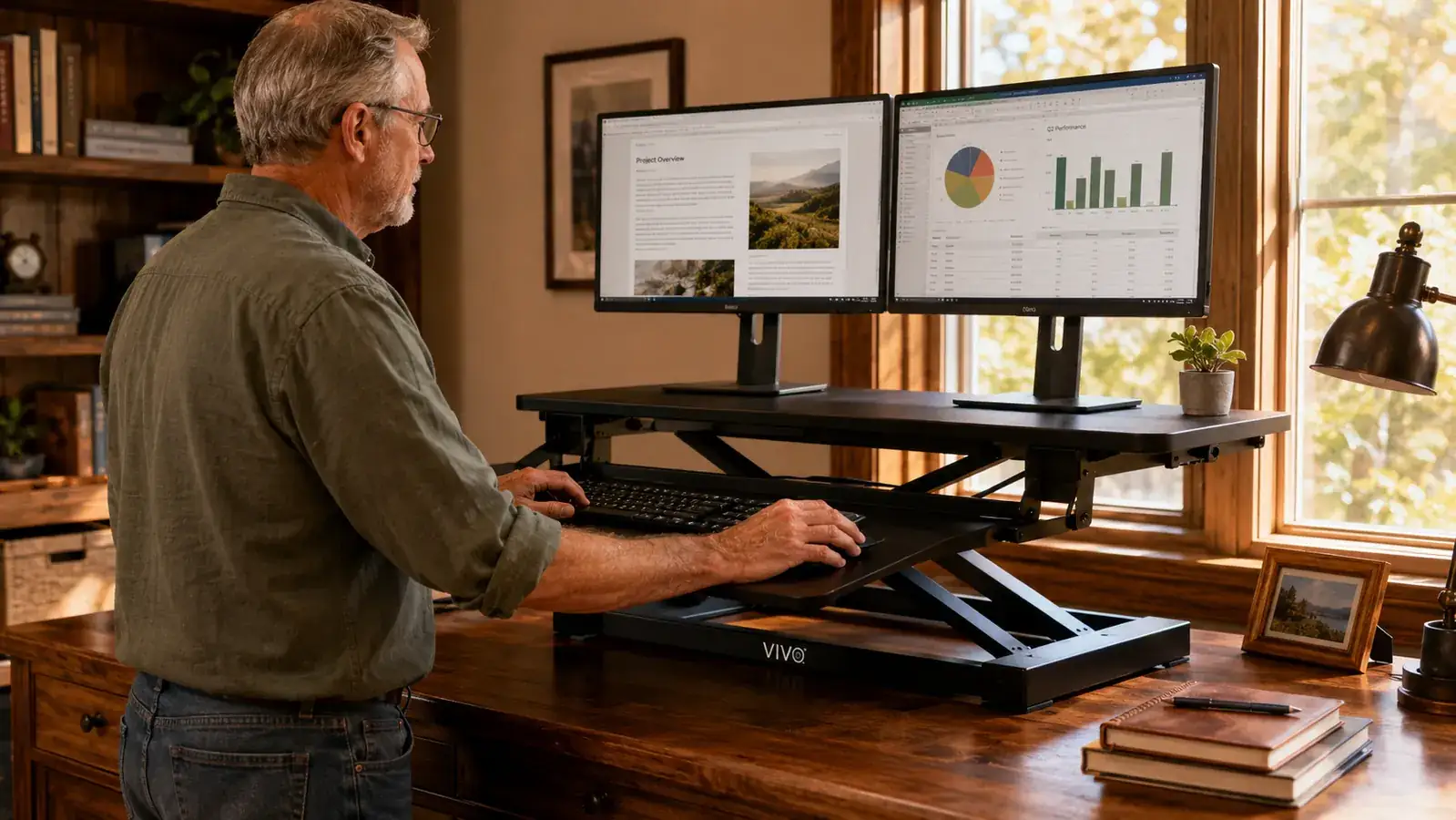
The converter uses a two-tier design -- monitors on the raised top shelf, keyboard on a lower sliding surface. The keyboard tray slides outward and locks in place with a small push-in latch at the front. That latch is what almost cost VIVO a return in my first week. When the tray is not fully engaged, it does not feel loose -- it just sits there as if it is locked, right up until you put weight on it and it slides forward. I caught my keyboard once and my wrist once. The third time I went to adjust the latch deliberately and realized it has a specific click position that I had been missing by about a quarter-inch.
Once I understood the latch, I never had another problem with it. But the instructions that come with this converter are a single folded sheet with diagrams that do not highlight the latch engagement at all. If you are not a person who reads hardware intuitively -- or if you are setting this up for someone else -- make sure they know to push that tray in until they hear a distinct click, not just until it feels snug.
This is a minor mechanical detail in a product that otherwise assembles cleanly. I am mentioning it because it is exactly the kind of thing that does not show up in the highlight reel reviews but that matters a lot on day two when you are trying to get work done.
Wobble: The Honest Version
Wobble at standing height gets mentioned in reviews of virtually every converter, and the VIVO is no exception. Here is my honest take. At sitting height and low-to-mid rise -- let's say the first eight to ten inches of elevation -- the converter feels genuinely solid. You can type at a firm pace, you can tap the monitor bezel to dismiss a notification, and the platform does not complain. That is the height most people use for sitting, and it is fine.
At maximum rise -- the converter goes up to about 17 inches of elevation -- a firm lateral press on the monitor shelf produces a noticeable sway. It damps, but it takes a second or two. That maximum height is where the scissor-lift geometry is most extended and therefore most susceptible to lean. The question is whether you actually use the converter at maximum height. For me at 5'11", standing height is closer to the middle of the range, around 12 to 13 inches of rise. At that height the sway is minor and does not affect typing or reading. But if you are over 6'2" and need the converter near its top end to get your monitor at eye level, the wobble will be more present in your daily experience.
The wobble is not a manufacturing defect. It is physics. A tall scissor-lift sitting on top of an existing desk has more lever arm than a fixed desk frame. Know your standing height before you buy, and check whether it falls in the converter's comfortable range.
One thing that makes wobble worse that nobody mentions: a desk surface that has any flex itself. A hollow-core door desk, a particleboard IKEA top, a desk with legs that are not tightened down -- any flex in the desk surface gets amplified by the converter sitting on top of it. If your desk moves when you lean on it, the converter will too, more than the converter itself warrants. This is worth knowing if your existing desk is on the lighter side. For context, mine is a solid butcher-block top that does not budge, so my wobble experience is on the better end of what buyers report.
Spring Tension: Setup Is Not One-and-Done
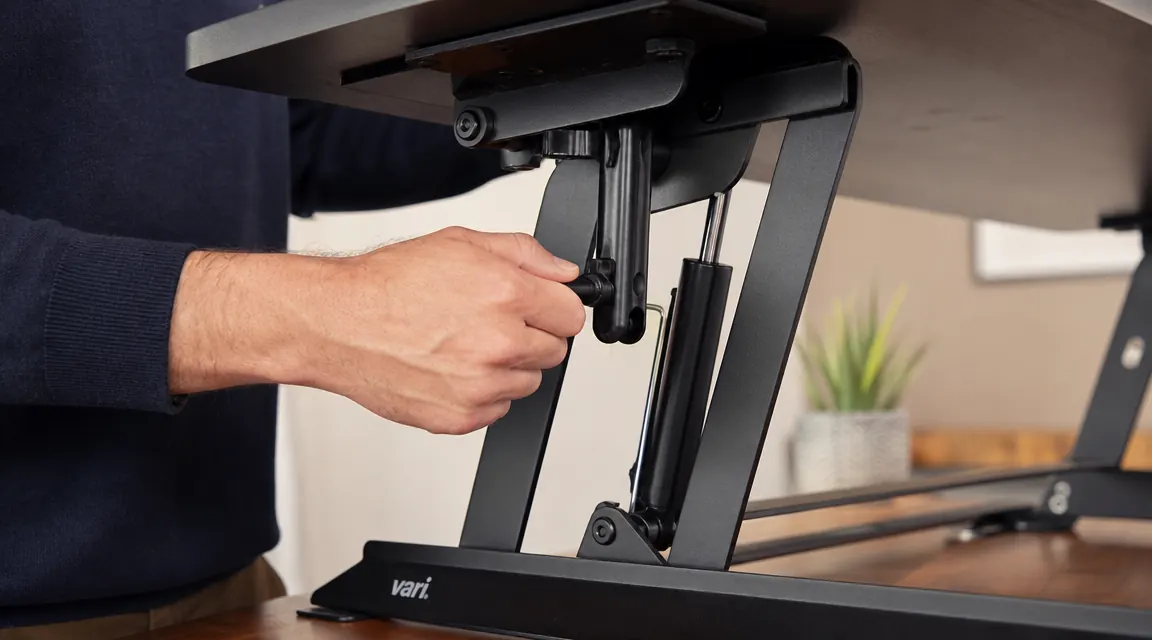
The VIVO V Series uses a spring cylinder to assist the lift, and there is a tension-adjustment knob on the left side of the frame. The idea is that you set the tension once to match the weight on the platform -- heavier monitors need more tension to lift smoothly. What I found is that this is closer to a quarterly maintenance item than a set-it-and-forget-it feature. Over a few months of daily use, I noticed the lift started requiring noticeably more effort than it did at first. Not broken, but no longer the easy one-hand raise I had in the early weeks.
I turned the tension dial about half a turn clockwise and the easy raise came back. That is not a complaint -- springs under load do relax over time, and it is good that VIVO gives you an adjustment mechanism. But the product presents it as an initial setup step, not an ongoing one. If you notice the lift getting stiffer after a few months, check the tension dial before assuming something is wrong.
The dial itself is a plain thumbscrew with no numbered positions or indexed marks. You adjust by feel. For me, that is fine -- I worked with tools my whole life and reading tension by feel is second nature. If you prefer a more precise setup experience, it might be mildly aggravating. It would not be hard for VIVO to add a simple 1-through-5 index ring to that dial. They have not.
What the Converter Actually Does for Your Body
Setting aside the mechanical details, the reason anyone buys one of these is that sitting for seven or eight hours straight eventually breaks something in your lower back, your neck, or both. I had the neck version -- a slow tightening across the upper traps and into the base of the skull that started getting bad enough by early afternoon that I was getting up to walk around every half hour whether I needed to or not. That is not productivity.
The converter changes that by giving you a third option between "sit and suffer" and "get up and walk away from your work." You stay at your desk. You stay in your workflow. You just shift your weight, change your posture, and the upper-body tension that builds from static sitting breaks up. Within about two weeks of alternating sit and stand -- I do roughly 45 minutes sitting, 25 minutes standing, repeat -- the afternoon neck tightening went from a daily certainty to an occasional nuisance.
The tiered design of this converter deserves specific credit here. The keyboard sits lower than the monitor shelf, which keeps your wrists and elbows at the right angle when you are standing and typing. A flat-platform converter -- and there are several in this price range -- puts your keyboard at the same level as your monitors, which means your shoulders creep up to compensate. That kills the ergonomic benefit. The VIVO V Series gets the geometry right.
Who Is Actually Buying This and What They Are Getting Right or Wrong
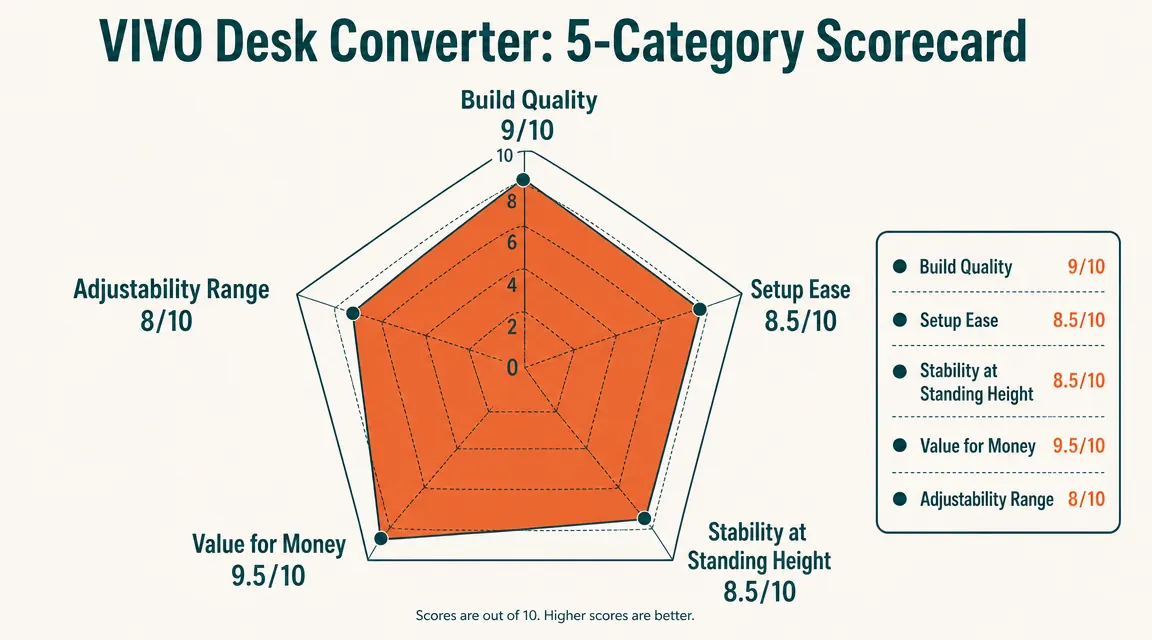
Reading through the Amazon reviews on this converter, I notice two clusters of buyer experiences. The first cluster loves it unreservedly -- these tend to be people who had a specific back or neck complaint, installed the converter on a solid desk, and found that alternating positions fixed their problem. That matches my experience. The second cluster is disappointed -- these tend to be people who expected a premium product experience at a mid-range price, found the instructions inadequate, ran into the keyboard latch issue I described, or installed it on a light desk and found the wobble unacceptable.
Both reactions make sense. The VIVO V Series is practical gear, not a polished consumer product. The instructions are functional, not detailed. The finish is powder-coated steel, not brushed aluminum with machined edges. If you are coming to this from a Herman Miller or Uplift comparison and you are used to premium fit-and-finish, you may find it underwhelming on close inspection. If you are coming to this from "my back hurts and I need a working solution on a desk I already own," you will probably be satisfied.
I also want to note: the 42-inch width is right for dual monitors and not right for triple monitors. If you run three screens, the surface fills up and the converter becomes harder to lift evenly because the weight is distributed across a wider span. The manufacturer rates this unit for loads up to 35 lbs; three 24-inch monitors will push or exceed that. Stay at two screens.
What I Liked
- Steel scissor-lift frame holds up over time with minor periodic tension adjustments
- Two-tier keyboard-below-monitor design is correct ergonomics, not an afterthought
- 42-inch width clears dual monitors comfortably with space between them
- No tools, no drilling, no permanent changes to the desk
- Over 10,000 Amazon ratings means long product history and available support
- Spring lift works smoothly at mid-range heights where most people actually stand
Where It Falls Short
- Footprint consumes most of a standard desk surface -- plan your desk layout before buying
- Keyboard tray latch requires a deliberate click to seat properly; thin instructions miss this
- Spring tension dial has no index marks and needs occasional recalibration
- Wobble at maximum height is real and worsens on light or flexible desk surfaces
- Finish picks up grime at the contact points over time, particularly the keyboard tray rails
How It Fits Into a Real Home Office Setup
A desk converter does not fix everything. It fixes the postural fatigue that comes from static sitting, and it does that reliably if you use it. What it does not do is replace a good chair, correct a monitor at the wrong angle, or fix a keyboard that is too high to begin with. If you are serious about a home office that does not hurt you over a long workday, the converter is one piece of a larger puzzle. A good ergonomic chair keeps your hips and lumbar in the right position when you are sitting. Monitor height and distance affect eye strain and neck position. Lighting affects headaches more than most people realize. The converter handles the standing piece well, but it works best as part of a dialed-in setup, not as a single magic fix.
For the overall setup question -- where this converter fits in the bigger picture of a home office that actually works -- I wrote a side-by-side comparison of the converter approach versus replacing the desk entirely with a sit-stand frame over at the desk converter vs. full standing desk comparison. If you are still deciding between the two paths, that article will help you figure out which one makes sense for your situation.

Who This Is For
Buy this if you already have a solid, flat-surface desk you want to keep using, you run one or two monitors, your desk is at least 56 inches wide so the converter does not consume the whole surface, and your goal is to break up long sitting sessions to reduce back or neck tension. Remote workers putting in six-hour days at a fixed desk, retirees running a side business from a home office, hybrid professionals who do not want to replace a perfectly good desk -- this is built for that use case. If your standing height falls in the mid-range of the converter's travel, not near the top, the stability will satisfy you.
Who Should Skip It
Skip this converter if your desk surface flexes or bounces when you lean on it -- the wobble will be worse than anything I described here. Skip it if you run three monitors or if your screens weigh more than 30 lbs combined. Skip it if you need maximum standing height because you are 6'3" or taller and will be operating near the top of the converter's range. Skip it if you do fine-detail illustration or physical drafting work where any surface movement at all interrupts your accuracy. And skip it if your desk is narrow enough that a 42-inch wide platform would leave you with nothing but the converter. In any of those situations, either a full sit-stand desk frame or a different converter size is the better fit. I walk through the full comparison over at the long-term use review if you want a second perspective from the same desk.
Know the tradeoffs, still want it? Here is where to check current pricing and availability.
The VIVO V Series is among the best-documented converters at this price point -- 10,000-plus ratings give you a realistic picture of the full range of buyer experiences, good and bad.
Amazon Check Today's Price on Amazon →