
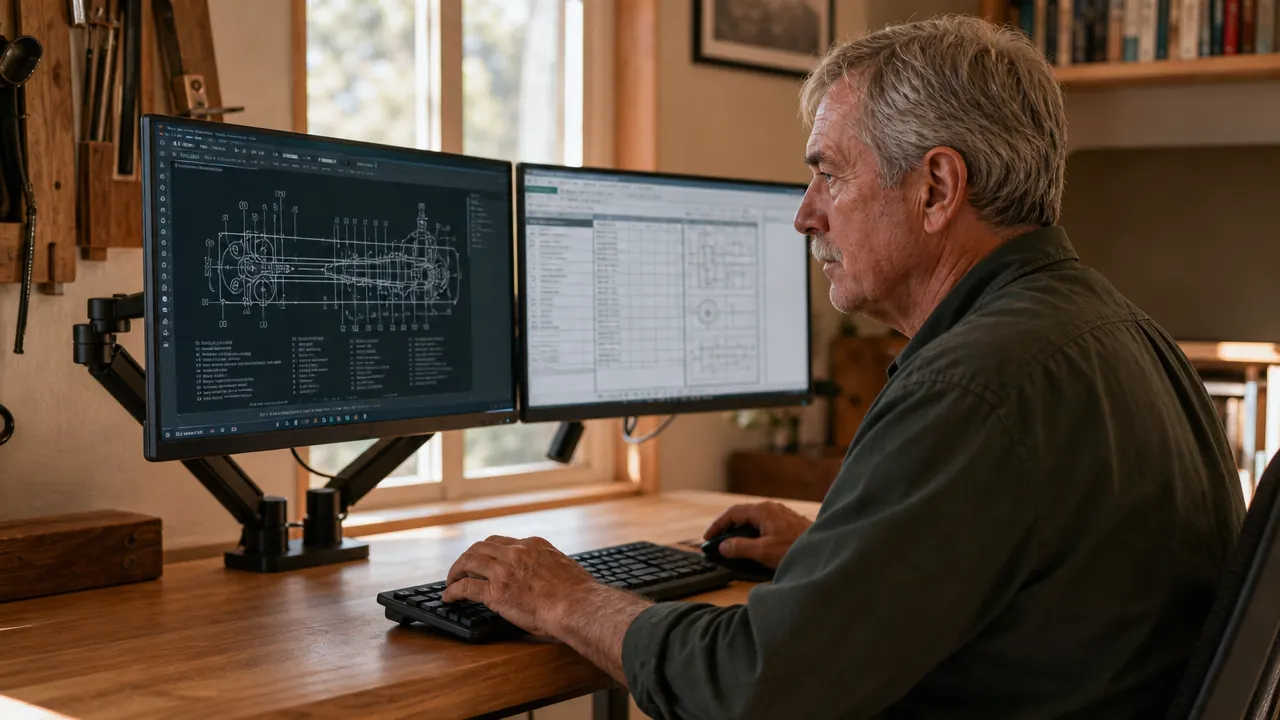
I ran two monitors on plastic static stands for a couple of years. They were functional the way a cracked extension cord is functional: they worked, mostly, until they started bothering me enough that I finally did something about it. One stand was taller than the other. Both bases took up a wide stripe of desk real estate right where I wanted to put my keyboard. Every time I tried to tilt a screen to cut glare, it wanted to tip forward. I put up with all of it because replacing them felt like optional spending.
Eventually I picked up the VIVO STAND-V002 dual monitor arm, which is a heavy-gauge steel mount that holds two screens up to 30 inches and 22 pounds each. It clamps to the back edge of the desk, adjusts in every direction you need, and has over 60,000 reviews on Amazon. I installed it in under an hour. What follows are ten reasons I wish I had made the switch sooner, each one based on something I actually noticed after the static stands came down.
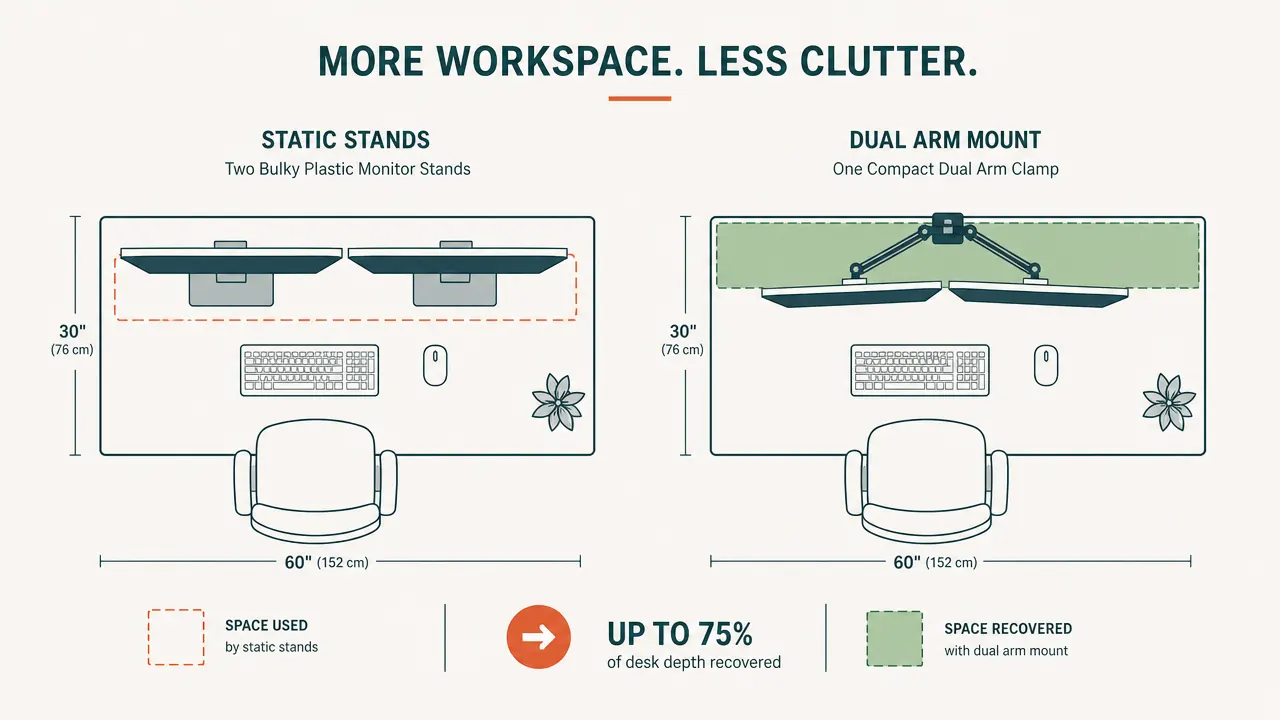
Those two static stand bases are sitting on six inches of desk space you could be using.
The VIVO Dual Monitor Arm holds two screens up to 30 inches on a single C-clamp or grommet mount. Heavy-gauge steel. Over 60,000 reviews. Check today's price before you read reason one.
Amazon Check Today's Price on Amazon →You Recover the Desk Space the Stand Bases Were Sitting On
Two static stands have two bases. Each one sits flat on the desk and does nothing useful except anchor the screen. Combined, they can eat eight to ten inches of desk depth right across the front of your workspace. The VIVO arm mounts to the back edge of the desk with a C-clamp. At desk level, the footprint is a single bolt head. Both screens float in the air. That strip of desk space you never had is suddenly just there.
Both Screens Can Finally Sit at the Same Height
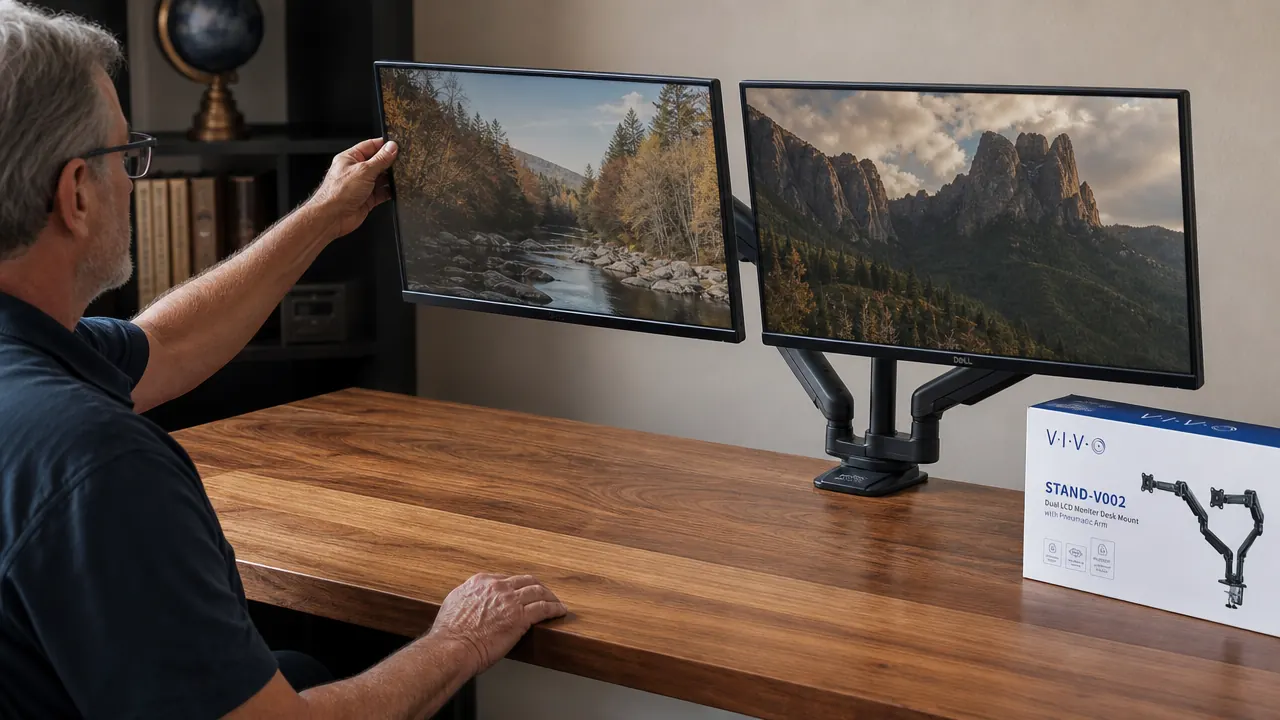
Static stands almost never match, especially if you bought the monitors at different times. One sits a half inch higher than the other and you adapt without noticing until your neck starts favoring one side. The VIVO arm has independent height adjustment for each screen. I set both panels so the top edge sits just below natural eye line when I am sitting upright, dialed it in once, and it has not moved. The neck-favor habit took about a week to unlearn.
Eye-Level Positioning Reduces the Neck Strain That Builds Up All Afternoon
This is separate from matching heights. Even two stands at identical heights can leave your screens too low if those stands are the shorter variety. A monitor you look slightly down at all day puts a constant forward pull on your neck. The VIVO arm raises both screens as high as they need to go so your gaze is level, not angled. It is a small adjustment that compounds across eight hours. My end-of-day neck stiffness dropped noticeably in the first week.
Repositioning a Screen Takes Seconds, Not a Furniture Shuffle
With static stands, moving a monitor means physically picking up the stand and sliding it across the desk. If you share the desk space, do video calls with a different camera angle, or just want to push one screen aside to spread some papers out, a static stand makes every adjustment a small production. The VIVO arm swivels each screen left or right on its post. You push it where you want it, it stays there. Nothing lifts, nothing slides, nothing knocks the other monitor sideways in the process.
Tilt and Rotation Let You Cut Glare Without Moving Your Chair
My left monitor had a glare problem from the window beside my desk for months. With the static stand I could tilt it forward a little, which just made the angle worse in a different direction. The VIVO arm tilts each screen up, down, and inward independently. I angled my secondary monitor about ten degrees inward and the glare disappeared in one adjustment. The arm also rotates each screen to portrait orientation, which is genuinely useful if you read long documents or work in code that benefits from a tall, narrow view.
Cables Route Through the Arm and Disappear from View
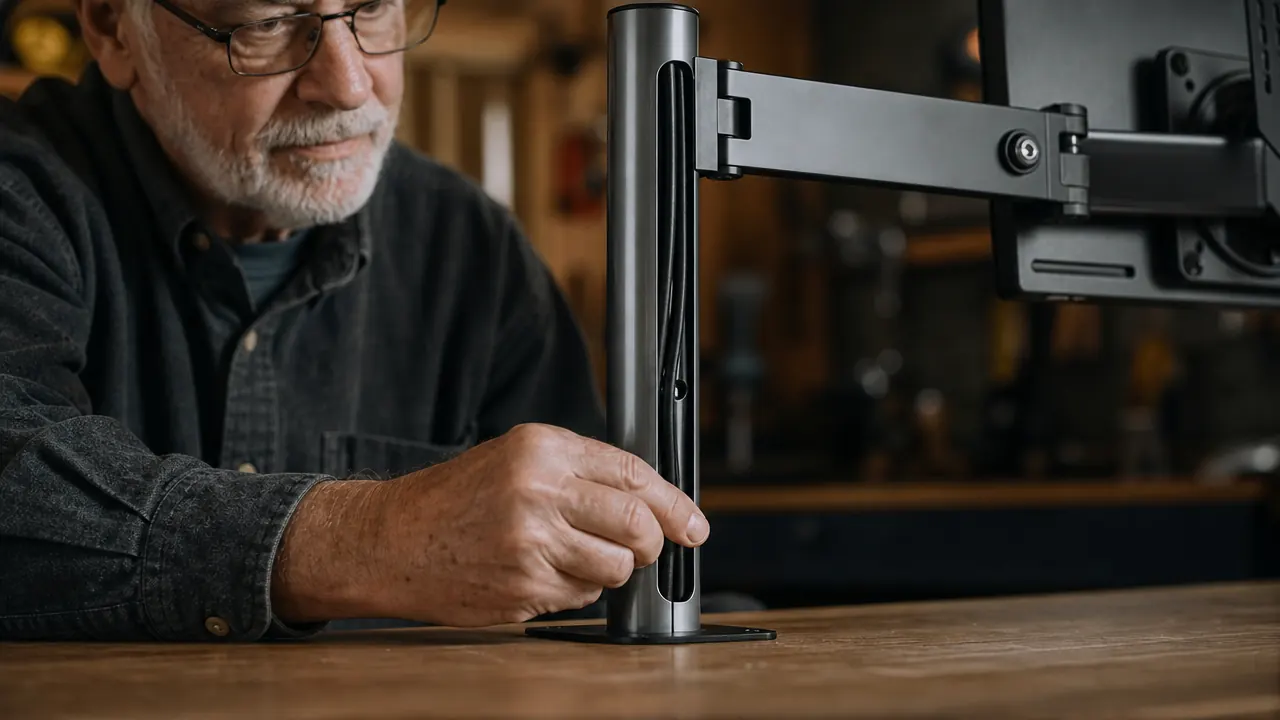
The VIVO arm has built-in cable management channels running along the post and both arm sections. You thread the HDMI and power cables through before mounting the screens, and from the front, the wires are gone. The thirty-inch cable runs that used to drape across the desk surface are now tucked away. There is still a small bundle that drops from the clamp base down to your power strip, but the surface itself looks like a desk instead of a wiring diagram. That single change made the whole setup look intentional.
The Steel Build Does Not Wobble When You Type
A monitor that shifts slightly every time you hit a key or click a mouse is more annoying than most people admit until it is gone. Some aluminum and plastic arms look solid in photos and shake noticeably in use. The VIVO arm is heavy-gauge steel. I put the C-clamp on a solid maple desk I built myself and I cannot get it to wobble by typing, bumping the desk edge, or resting my wrists on the surface. Rigidity at this price point is not something to assume. It is the thing worth checking before you buy any arm.
It Mounts to Almost Any Desk via Clamp or Grommet
The VIVO arm ships with both mounting options in the box. The C-clamp fits desks from three-quarters of an inch up to about three and a half inches thick, which covers most wood and laminate desktop surfaces without any modification. If your desk already has a grommet hole, the grommet mount drops in and sits even flatter against the back edge. You do not need to drill, modify, or buy additional hardware. One box covers the two most common desk types.
Screen Alignment Between the Two Monitors Is Finally Precise
Getting two static stands perfectly aligned side by side is a small puzzle you solve by eye and then accept imperfect results on. One screen is always a touch further back, or angled differently, or sitting a millimeter higher on one side. With the arm, both screens share the same mount post and each arm section has the same adjustment range. You align them once with a level or just by eye and the geometry holds. There is no creeping misalignment because nothing is sitting loose on a rubber foot.
Your Setup Can Change Without Buying New Hardware
Static stands are committed to one screen size, one position, one height. If you upgrade to a larger monitor later, the old stand either does not fit or looks wrong with the new panel. The VIVO arm handles screens up to 30 inches and is VESA-standard, which means it fits virtually every monitor sold in the last decade. Move to a new desk? The clamp moves with it. Need to go to portrait mode for a second display? Rotate the arm. The hardware does not become obsolete just because your situation changes.
What I'd Skip
If your desk is glass-top, skip any heavy C-clamp mount entirely. Glass cannot take the clamping pressure and it is not a safe surface for a mount carrying two screens. The VIVO arm includes a grommet option for desks with pre-drilled holes, but glass-top desks need a freestanding weighted-base arm instead. Also worth noting: the arm is rated to 30-inch screens, 22 pounds each. Standard 27-inch monitors are well inside that. If you are running 32-inch or larger panels, verify the weight spec before ordering. For anyone on a normal wood or laminate desk with standard monitors, neither of those is a concern.
I put a small cutting board down for notes the week after the arm went up. I use it every day. That strip of desk was buried under plastic stand bases for two years and I did not even notice it was gone.
If your two monitors are not at the same height right now, this is the fix.
The VIVO STAND-V002 is heavy-gauge steel, fully adjustable, ships with both C-clamp and grommet mount hardware, and holds two screens up to 30 inches. For a home office that feels like it was built right, it is hard to beat at today's price. Check the current price and installation details on Amazon.
Amazon Check Today's Price on Amazon →