

When you are comparing the VIVO STAND-V002 and the Perlesmith dual monitor mount, you are looking at two products that cost within a few dollars of each other, accept the same VESA patterns, and bolt onto a desk edge the same way. On paper they are nearly identical. In practice, one of them holds its position and one of them slowly lets your monitors sag forward over the course of a day. If you have ever come back to your desk after lunch and found your screens two inches lower than you left them, you already know the problem I am talking about.
I am Dan. I spent thirty-five years in carpentry, and I have been putting together a home office from scratch over the past two years since I retired. When I look at a monitor mount, I am not reading spec sheets the way a tech blogger would. I am looking at the joint quality, the steel gauge, the thread pitch on the tension bolts, and whether the thing is going to stay put on a Thursday afternoon when I have not touched it since Monday morning. I have used both of these mounts. Here is how they compare honestly.
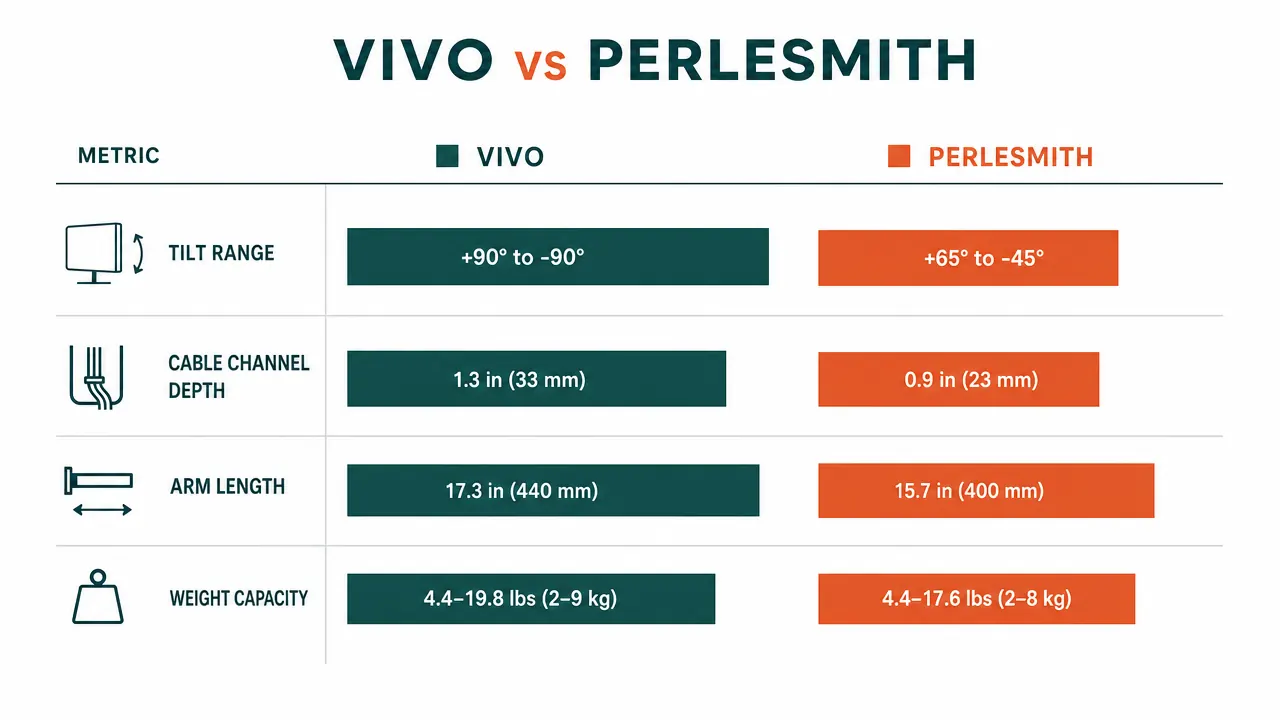
| Spec | VIVO STAND-V002 | Perlesmith Dual Mount |
|---|---|---|
| Price | Mid-range | Check today's price on Amazon |
| Mount type | C-clamp and grommet both included | C-clamp only |
| Screen size range | Up to 30 inches per screen | Up to 27 inches per screen |
| Weight capacity per arm | 22 lbs per screen | 17.6 lbs per screen |
| VESA support | 75x75 and 100x100 mm | 75x75 and 100x100 mm |
| Vertical tilt range | Plus or minus 15 degrees | Plus or minus 10 degrees |
| Build material | Heavy-duty steel throughout | Steel pole, aluminum arms |
| Cable management | Full channels built into arm segments | Partial channels, exposed at joints |
| Desk clamp jaw capacity | Up to 3.3 inches thick | Up to 2.4 inches thick |
Where the VIVO Wins
The thing that stands out most when you get the VIVO STAND-V002 out of the box is the weight of it. This is not a light mount. The steel is thick enough that you can feel the mass in your hands before you even start assembling it. That weight is not a flaw, it is the whole point. A monitor arm works by clamping to your desk and holding friction at two or three pivot joints. The heavier and stiffer those joints are, the longer your monitors stay exactly where you put them. The VIVO uses steel-on-steel contact at every pivot, and the tension bolts are large enough that you can torque them down properly with a standard hex key. Once they are set, they stay set.
The cable management is also noticeably better. The VIVO has actual channels built into the arm segments, not just clips or zip-tie holes. You can run your display cables, USB cables, and power bricks through the arm so that nothing is hanging loose between the monitor and the desk. I spent two weeks with cable chaos before I realized I had been routing things wrong, but once I figured out the channel path, the desk went from looking like a workshop floor to looking like something I was actually proud of. The Perlesmith arms have partial channels that leave gaps at the joints, so you end up with short loops of exposed cable no matter how careful you are.
The grommet hardware being included in the box matters more than it sounds. If you have a thick desk or a desk with a finished edge that you do not want to scratch, the grommet mount lets you drill a clean hole and run the post straight through. The Perlesmith ships without grommet hardware, so you are either clamping to the edge or buying a separate kit.
Your monitors are drifting because the mount is loose. The VIVO holds.
The VIVO STAND-V002 has over 60,000 reviews and a 4.6-star rating. It ships with both C-clamp and grommet hardware, supports screens up to 30 inches, and holds 22 lbs per arm. Check today's price and availability on Amazon.
Amazon Check Today's Price on Amazon →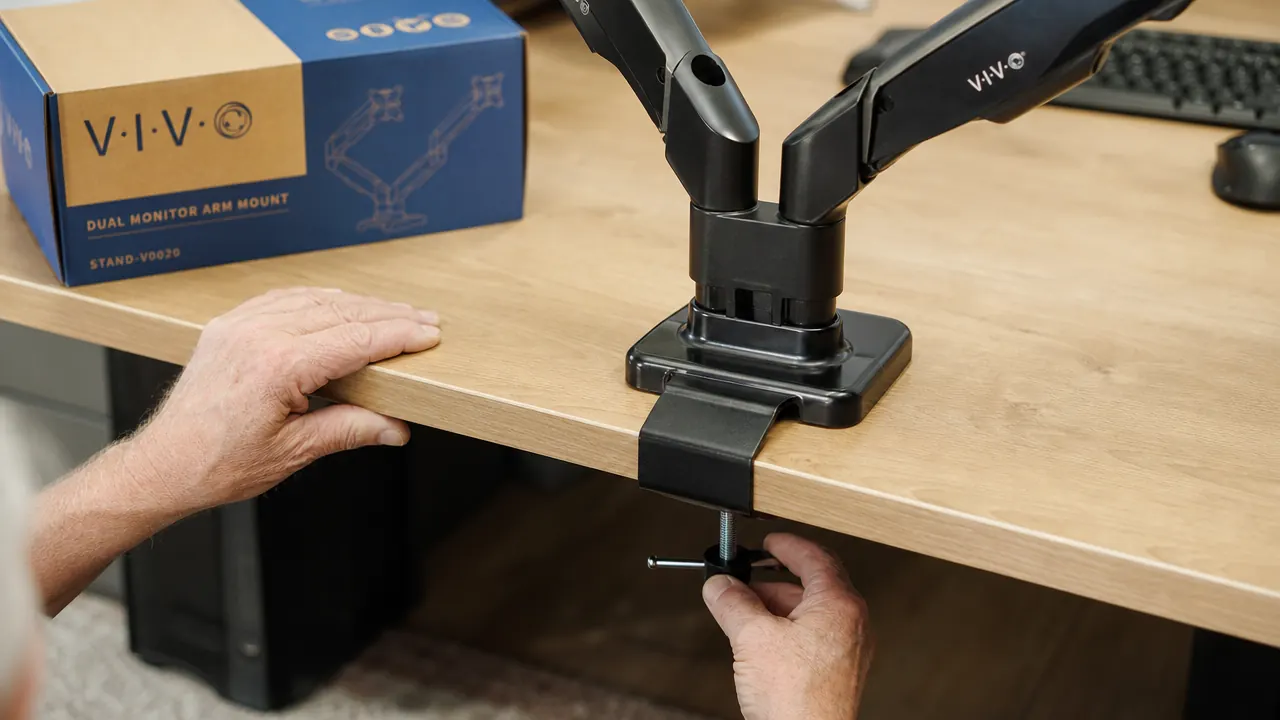
Where the Perlesmith Wins
The Perlesmith costs a few dollars less, and if that five-dollar difference genuinely matters to you right now, that is a real consideration. Nobody should feel bad for watching their budget on a desk accessory. The Perlesmith also has a slightly slimmer arm profile, so if you are working in a very tight corner or a shallow alcove where arm thickness matters, it fits into tighter spaces a little more easily. The assembly instructions for the Perlesmith are also marginally clearer out of the box, which matters if you are putting together your first monitor mount and do not want to guess at anything.
That is the honest list. The Perlesmith is a functional mount that will hold two monitors off your desk. If you have two lighter screens, say 22 or 24 inches with plastic housings, it will probably hold position for a reasonable amount of time. Where it starts to fall short is when you have heavier glass-panel monitors or IPS panels close to the 27-inch range, because the arm material at the pivot joints is aluminum rather than steel, and aluminum deforms slightly under sustained load over months of use. You will not see the drift on day one, but you may see it by month four.
A monitor arm is a friction device. The moment the friction relaxes, your monitors start drifting. Steel holds friction. Aluminum gives way slowly. That is the whole comparison, really.
How the Arms Actually Feel in Use
Both mounts use a center post system rather than individual arms on separate clamps. That means there is one clamp on your desk and two arms coming off a shared vertical pole. The design keeps the desk footprint small and lets you adjust the relative height of the two screens independently. For a home office with mixed tasks, that is the right configuration. I use my left screen in landscape for reference documents and my right screen slightly higher and in landscape for my main work window. The VIVO makes that arrangement easy to set and hold. Both screens stay exactly where I put them through a full work session.
On the Perlesmith, the horizontal arm rotation is smooth, which is actually a problem. Smooth sounds good until you realize that smooth joints and firm joints are opposites. A joint that rotates easily when you push it is also a joint that rotates slowly on its own when you are not looking. The VIVO joints feel stiff when you adjust them because they are meant to be stiff. You are not going to reposition the arms casually, and that is correct behavior for something holding two monitors above your keyboard.

Installation on Different Desk Thicknesses
This is where the VIVO clamp jaw clearance of 3.3 inches earns its keep. A lot of home office desks are not the standard 1-inch thickness that cheap mounts assume. If you have a solid wood desk, a butcher block top, or a two-panel desk with a bracket underneath, you might be sitting with a desk surface that is 2 to 2.5 inches thick. The Perlesmith tops out at 2.4 inches, which means a thick solid-wood desk could be right at or over its limit. The VIVO's extra jaw range gives you more breathing room without needing to hunt for an adapter or cut a grommet hole.
The grommet option on the VIVO is also worth thinking about if your desk has a cable management hole already cut into it. A lot of office furniture comes with a pre-drilled hole near the center. You can drop the grommet post right through that hole, tighten the nut underneath, and end up with a mount that has zero footprint on your desk surface and zero pressure on your desk edge. I did this with my current setup and the desk looks completely clean from the front.
Who Should Buy Which
Buy the VIVO if you have screens that are 24 inches or larger, if your monitors are on the heavier side (glass panels, curved screens, or anything close to 20 lbs), if your desk is thicker than two inches, or if you simply want to set the mount once and not think about it again for the next three years. The VIVO has over 60,000 reviews on Amazon, it rates 4.6 stars, and you can find it at a budget-friendly price. That combination of volume and rating tells you something real: it works, it holds, and the people who bought it are not coming back to complain. For the full deep-dive on the VIVO specifically, including how it handles over a longer period of daily use, take a look at the dedicated review at the link below.
Consider the Perlesmith if your screens are 24 inches or smaller, you are on an unusually tight budget and the five-dollar difference genuinely matters, and you do not mind that the joint stiffness may relax over time. It is a workable product for light-duty use. It is not the right tool if you are building a setup you want to last.
There is also a third option: neither. If you have screens smaller than 22 inches and you are not bothered by the stands taking up desk space, a basic static stand does the job without any pivot joints to worry about. But once you go to 24 inches and up, or once you have two monitors sitting on stands eating your desk space, a good arm mount changes the way your workspace feels. Getting six inches of clear desk surface back is not a small thing when you are trying to keep a clean, focused work area.
If you are curious about why a dual arm mount makes such a difference compared to a static stand in the first place, there is a breakdown of the practical reasons at the related article below. It covers things like the ergonomic angle difference, desk space recovery, and what happens to cable routing once you move the monitors off their original stands.
Set your monitors once. Come back tomorrow and they are still there.
The VIVO STAND-V002 dual monitor mount includes both C-clamp and grommet hardware, fits screens up to 30 inches, and holds 22 lbs per arm on a fully-adjustable heavy-duty steel frame. More than 60,000 buyers and a 4.6-star rating back that up. Check today's price on Amazon.
Amazon Check Today's Price on Amazon →